Features – Peace of mind in your everyday life
Tryghedsappen is a Danish-developed mobile app designed to provide a greater sense of safety in everyday life—for you, your loved ones, and your network.
With just one tap, you can alert your emergency contacts, share your location, and get in touch or receive help as quickly as possible when you need it.
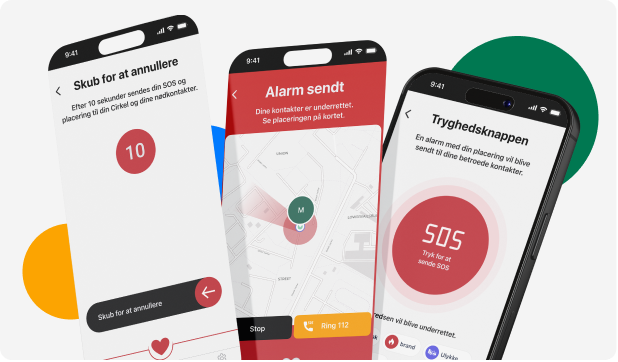
The Safety Button
With a single tap, your loved ones are immediately alerted with your location and your request for help. The button is used in emergencies, unsafe situations—or simply when you want your contacts to know that you need help and where you are.
Live Location
Share your location in real time with your loved ones and those you trust. Perfect for when you are walking home alone, out for a run, or simply want to check in so your family knows where you are. The Safety Button does not replace an emergency call to 112, but it contacts your network and loved ones immediately.
Neighbourhood Network
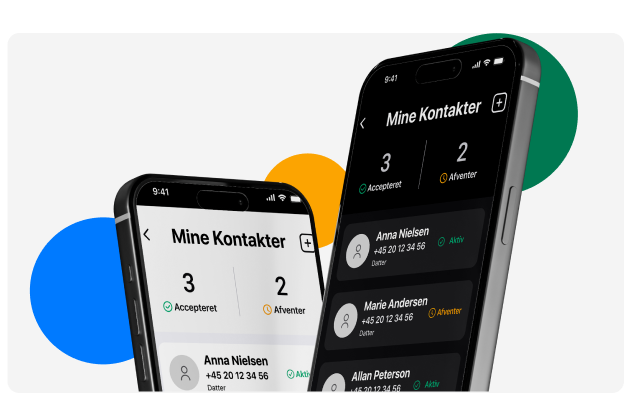
Your emergency contacts will often be your closest relatives, family, or close friends. Your network can also consist of selected neighbours. Connect with people in your local area. Share help, receive messages, and be part of a digital safety community.

Notifications & Personal Alarm
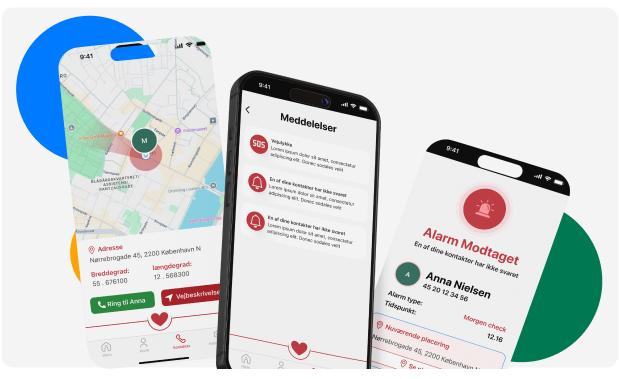
Receive a notification when someone for whom you are an emergency contact presses the button. Contact them directly with a call from the app, and provide a closer, more reassuring presence.
Notifications & status
Whether you use Tryghedsappen or simply want to be an emergency contact for someone you care about, you will receive an invitation to be an emergency contact. It is up to you whether you want to accept and help create a safer everyday life for one or more people you care about.
Ready to get started?
Download the app for free and experience how a single tap can create greater peace of mind—for you and those around you.
Privacy Policy and GDPR
Read how we collect, store, and protect your information. Our starting point is that your data is yours—so we only collect what’s necessary for the app to provide the safety you want. You can read more via this link:
- Read our full privacy policy →
Download your data
- Request a data export →
Terms and conditions
It’s important that you familiarise yourself with the terms and conditions for using the app. They are described in a document you can download here:
- Read the terms and conditions for using the app →
Delete account and data
- Delete my account and data →